

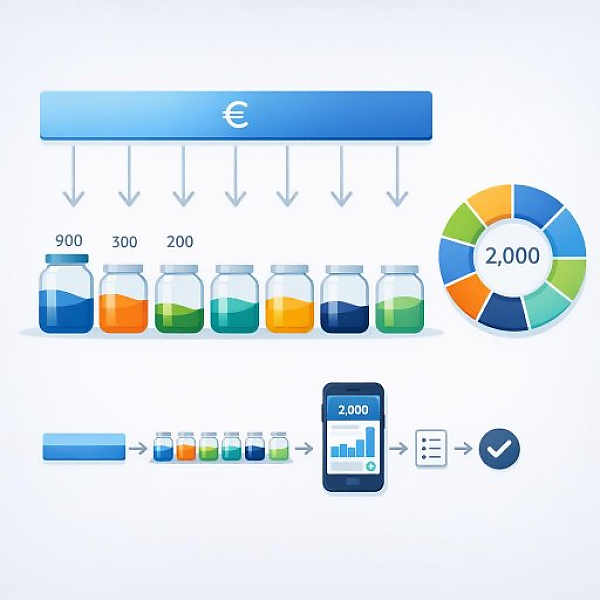
Budget buckets (also called envelope budgeting) are fixed spending categories for which you set aside specific amounts at the beginning of the month; every expense in your digital household budget is assigned to one of these buckets so you can see at any time how much money is still available in each area.
In a digital household budget like MyMicroBalance, you can create budget buckets as categories or tags. The table below shows 7 typical buckets, a brief explanation, examples of expenses, and a simple sample allocation for a fictional monthly net income of €2,000.
| Budget bucket | Short definition | Typical expense examples | Sample allocation from €2,000 |
|---|---|---|---|
| Housing | Everything that secures and maintains your home. | Rent, HOA/condo fees, electricity, heating, water, trash collection, internet | €900 (e.g., 45% of income) |
| Everyday costs & groceries | Ongoing expenses for day-to-day needs. | Groceries, drugstore items, cleaning supplies, small household items | €300 (e.g., 15% of income) |
| Transportation | Costs for getting around day to day and while traveling. | Public transit tickets, fuel, auto insurance, maintenance, bike repairs | €200 (e.g., 10% of income) |
| Health & insurance | Expenses for your protection and medical care. | Supplemental insurance, medications, copays, glasses, dental costs | €150 (e.g., 7.5% of income) |
| Leisure & personal spending | Spending for hobbies, entertainment, and personal wants. | Restaurants, streaming, sports club fees, books, clothing | €200 (e.g., 10% of income) |
| Savings buffers & cushion | Money you set aside for irregular or unexpected expenses. | Repairs, a new washing machine, back payments, small emergencies | €200 (e.g., 10% of income) |
| Goals & projects | Amounts for planned wishes and larger plans. | Vacation, continuing education, furniture, larger purchases | €50 (e.g., 2.5% of income) |
The percentage and euro amounts are just an example. They do not replace individualized planning. You can and should adjust the allocation to fit your personal situation.
With budget buckets, you give every dollar a job. That way you keep an overview without having to track every expense in your head. In an app like MyMicroBalance, after each purchase you assign the expense directly to a budget bucket.
Too many buckets make the system confusing. Too few buckets give you too little control. For getting started, 5 to 8 budget buckets are a good range.
Use typical life areas as a guide:
In MyMicroBalance, you can create these buckets as categories or tags and rename or expand them as needed.
Next, you split your spending cap across the budget buckets. The result is monthly limits—maximum amounts per bucket.
In your digital household budget or directly in MyMicroBalance, enter the monthly limit in euros for each budget bucket. Later, on your screen or smartphone, you’ll see how much money is still available in each bucket.
For the system to work, clearly assigning every expense is essential.
In MyMicroBalance, after each entry you can see how the remaining balance changes in the respective budget bucket.
The end-of-month review is crucial. It shows how well your plan matches reality.
This makes your digital household budget more accurate step by step. You get a realistic picture of your spending without starting from zero every month.
Budget buckets bring structure to your finances. The most important benefits:
Classic envelope budgeting used real paper envelopes. Today, digital household budgets take over this function. In MyMicroBalance, the process might look like this:
The big advantage: You don’t need cash and you don’t need real envelopes. You still keep a clear structure that helps you manage your spending intentionally.
Budget buckets are an easy-to-understand method for allocating your income across clear spending categories. With fixed monthly limits and consistent assignment of every expense, you gain control and planning reliability. A digital household budget like MyMicroBalance helps you implement envelope budgeting in everyday life in a simple, clear way.





 1
1 2
2 3
3 4
4

