

Get the feeling of finally being in full control of your finances.

Free Budget Planner for PC and Smartphone - MyMicroBalance

With MyMicroBalance, you can easily track and analyze your income and expenses on your Windows PC or on the go via our Android and iOS apps.

Organize your finances more easily than ever before. MyMicroBalance immediately shows you where your money is going – with clear evaluations on your PC and quick entry via the app. Get started for free and without any risk.

  • Permanently free basic version (no time limit)
  • For Windows PC, iOS & Android
  • Clear evaluations & charts
  • Optionally expandable: Additional features for PC and app
  • New: Smart AI features in PC and app
mmb-sync-uebersicht.jpg

Independently tested & recommended

CHIP rating: Excellent
⭐⭐⭐⭐⭐

Download MyMicroBalance for Windows, Android or iOS

What our users say

The heart of MyMicroBalance is our community. Here is a selection of verified reviews (Sources: Apple App Store / Google Play Store):

⭐⭐⭐⭐⭐
Loyal for years:

"I've been using the PC version for over 10 years, now finally available on mobile."

– User cyberian1
⭐⭐⭐⭐⭐
Perfect for any age:

"If you are of a certain age and want to manage your budget digitally, this is a great choice. Everything is instantly recognizable."

– User FokusInspiration
⭐⭐⭐⭐⭐
Perfect Sync:

"Sync with desktop is top-notch."

– User Lujuwe

mmb-startseite.jpg

MyMicroBalance offers everything a modern budget planner needs today

  • Extremely easy to use: Initial reports and savings potential after just a few minutes – with zero training required.
  • Visual clarity instead of number chaos: Automatic charts and reports make your finances immediately understandable.
  • Intelligent AI support: Analyze specifically, recognize connections, and receive individual savings tips.
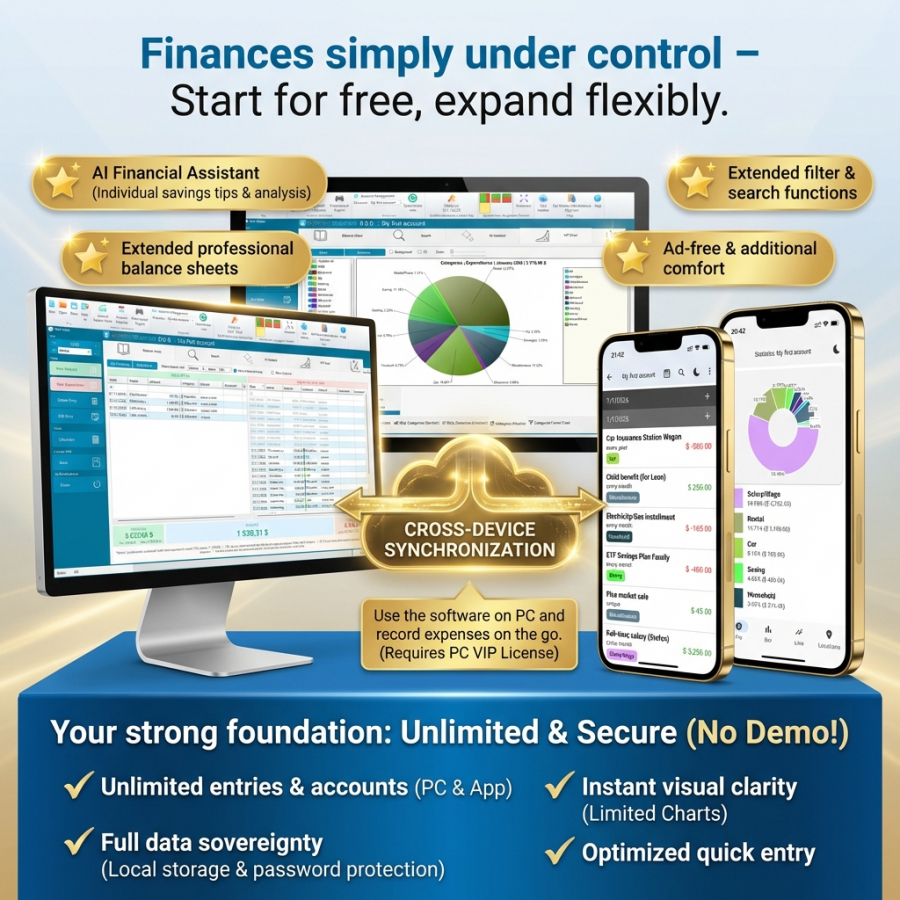
  • PC & App perfectly combined: Use MyMicroBalance on your Windows PC and record expenses on the go via the iOS or Android app.
  • Full data sovereignty (PC): Your data stays with you – with password protection, local storage, and Excel export.
  • Answers to your financial questions: See at a glance where your money goes and where savings potential lies.

Maximum freedom: Start for free, expand as needed

We believe in fairness: The basic version of MyMicroBalance is and remains a permanently free home budget tool. You can record an unlimited number of income and expense entries – both on PC and smartphone. Simply download the software here.

Should your requirements grow, MyMicroBalance grows with them. For pro functions like multi-device synchronization, advanced balance sheets, or professional AI analysis and comprehensive charts, you can add valuable VIP extensions

Over 500,000 downloads confirm the quality

MyMicroBalance is not a time-limited demo, but a free full version for PC and smartphone. The software has been established on the market since 2006 and, with over half a million downloads, is one of the most trusted solutions available.

Answers to your money questions

Instead of just managing numbers, MyMicroBalance provides direct answers through graphical analysis to questions like:

  • Vehicle costs: "What does my car cost per year including fuel, insurance, and repairs?"
  • Cost of living: "How much money do I spend on groceries per month?"
  • Housing: "How high are my monthly fixed costs for my apartment or house?"
  • Savings rate: "How much money can I actually put aside this month?"

Use features like recurring entries for your fixed costs or create individual groups for areas like housing, groceries, or mobility. This allows you to uncover savings potential and eliminate unnecessary costs before they arise. Start now with the PC version for the optimal overview or use the app for quick recording on the go.

MyMicroBalance at a glance: Comparison of typical approaches

Note: The following comparison describes typical market characteristics. Features, storage locations, and prices may vary depending on the provider, plan, platform, and configuration (As of: Jan 11, 2026).

Comparison PointMyMicroBalance
(Hybrid Solution)
Classic SpreadsheetsCloud-based Budget Apps
(often subscription models)
User Experience Desktop analysis + mobile recording
Practical for many users: large screen for analysis, app for quick entries
Often desktop-oriented
(mobile use varies in comfort depending on tool/file and setup)
App/Cloud focus
(Web/tablet view available depending on provider; overviews on smartphone vary)
Data Storage Local + optional synchronization
Data local on device; synchronization/server depending on settings
Local or cloud storage
(depending on tool, storage location, and collaboration/sync)
Mostly cloud storage
(Offline functions and storage options depend on provider)
Costs Free (Basic)
Premium from € 1.25 / month (with purchase of a 36-month VIP license for PC)
Free to paid
(depending on software, licensing model, and potential cloud plan)
Often subscription models
(prices vary by provider and plan)
Input Flexible
Typing, voice input, or CSV import
Often manual, partly automatable
(e.g., via templates, formulas, imports, or add-ons – depending on setup)
Depends on app: manual, import, or bank sync
(Bank synchronization may be optional; bank access/consent required)

News and How-Tos for Your Budget