

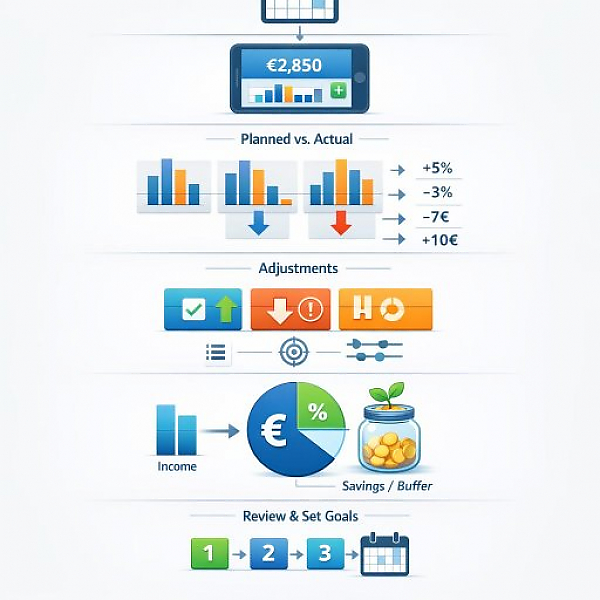
A monthly budget review in a digital household budget book means that at the end of the month you systematically check all income and expenses, compare them with your planned budget, flag deviations, and derive simple rules and adjustments for the next month.
The sample table below shows a typical monthly overview. On the left is the planned budget (plan). On the right are the actual actual values (what you really spent or received). The variance shows whether you are above or below your plan.
| Category | Planned (budget in euros) | Actual (in euros) | Variance (Actual - Planned) |
|---|---|---|---|
| Total income | 2.500 | 2.550 | +50 |
| Fixed costs (rent, electricity, insurance) | 1.300 | 1.320 | +20 |
| Groceries | 350 | 410 | +60 |
| Transportation (public transit, fuel) | 150 | 130 | -20 |
| Leisure & dining out | 200 | 260 | +60 |
| Savings & reserves | 300 | 250 | -50 |
| Monthly surplus / deficit | +200 | +180 | -20 |
Before you review your budget, it helps to know a few terms:
With this simple routine, you turn your household budget book into a real control tool. The steps can be implemented in most digital household budget books, for example in MyMicroBalance.
In the first step, make sure all data is complete and correct.
Now you compare your plan with reality.
In the next step, think about why variances occurred and derive simple rules for next month.
The savings rate is the share of your income you set aside. The buffer rate is the money left over after all expenses, even if it is not saved for a specific purpose.
Finally, briefly capture your key takeaways. This turns your review into a repeatable routine.
This checklist helps you review your monthly budget step by step. Use it as a fixed process, for example on the last or first day of the month.
The simpler your method, the more likely you are to stick with it. Therefore, always use the same steps, the same checklist, and ideally the same tool. A digital household budget book like MyMicroBalance helps you clearly collect your data and track progress over multiple months. That way, a one-time review becomes an ongoing routine that gives you more clarity over your finances.





 1
1 2
2 3
3 4
4

