13. March 2026 | How-Tow

Budget Limits in Your Household Ledger Explained Simply: Definition, Examples, Step-by-Step Guide

Budget Limits in Your Household Ledger Explained Simply: Definition, Examples, Step-by-Step Guide

What are budget limits in a household ledger?

Budget limits are pre-defined maximum amounts in euros for specific spending categories (for example groceries, leisure, mobility) that you enter in your digital household ledger such as MyMicroBalance to control how much money you want to spend at most in each category per month.

Types of budget limits at a glance

In a household ledger, there are several common forms of budget limits. They all serve the same goal: you stay in control of your spending.

  • Total budget limit: An upper limit for all expenses combined within a specific period (usually a month).
  • Category budget limit: An upper limit for individual areas, for example housing, food, mobility, leisure.
  • Time-based budget limit: An upper limit per day or per week to spread expenses more evenly.

Example: Budget limits in a simple monthly plan

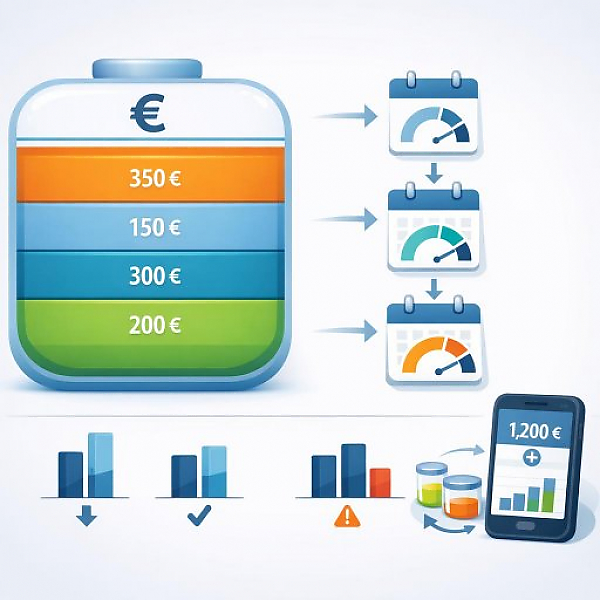
The following table shows an example monthly budget for one person. You can see the available income and the defined budget limits per category.

Category Budget limit per month (euros) Explanatory note
Total monthly budget 1,500 Money available for all expenses after rent and fixed costs are deducted
Groceries 350 Weekly guideline about 80–90 euros
Mobility 150 For example transit tickets, fuel, car sharing
Leisure & hobbies 120 Movies, sports, outings, streaming subscriptions
Restaurants & café 80 Eating and drinking out
Savings & buffer 300 Cushion for unexpected expenses or planned purchases

Step-by-step: How to set up budget limits in your household ledger

You can use the following steps in MyMicroBalance or any other digital household ledger.

Step 1: Define income and main categories

  • Enter your total monthly income in your household ledger (for example wages, salary, other regular income).
  • Create the most important spending categories, for example:
    • Housing (rent, electricity, heating)
    • Food (groceries, beverages)
    • Mobility (public transit, car, bike costs)
    • Leisure (hobbies, media, going out)
    • Health (medication, doctor costs)
  • Review your past bank statements or notes to get a feel for how much you’ve spent per category so far.

Step 2: Set specific budget limits in euros

  • Think about how much of your available income (after rent and fixed costs) you want to allocate per category.
  • Set a clear budget limit in euros for each category, for example: groceries 350 euros, mobility 150 euros.
  • Enter these values directly in the tool:
    • either as a monthly limit for the category (if the tool supports this), or
    • as a clearly visible note or description in the category (for example: “Monthly limit: €350”).
  • Make sure the sum of all budget limits is not higher than your discretionary income for the month.

Step 3: Assign expenses promptly and compare them with the budget

  • Record every expense as quickly as possible in your household ledger, for example right after shopping.
  • Always choose the appropriate category (for example supermarket purchase → food, bus ticket → mobility).
  • In MyMicroBalance, use the category overview to see your spending so far for the month.
  • Compare the current actual amount with your budget limit at least once per week:
  • Actual amount < budget limit: you’re within your plan.
  • Actual amount ≈ budget limit (for example 90% used): you should be more cautious in this category.
  • Actual amount > budget limit: you exceeded the limit and should respond.

Step 4: Flag deviations and adjust budget limits

  • In your household ledger, flag the categories where you went over, for example using a note or a tag like “Budget exceeded.”
  • Check why the limit was exceeded:
    • Was it a one-time special expense?
    • Were the previous limits unrealistically low?
    • Were there price increases or changes in habits?
  • Adjust your budget limits for the next month:
    • Lower the limit if you want to intentionally cut back in another category.
    • Raise the limit if the category is consistently too tight and you’re doing fine elsewhere.
    • Split the category if it’s too broad (for example, turn “Leisure” into two categories: “Sports” and “Going out”).
  • Document these changes in MyMicroBalance so you can track the development month to month.

Checklist: Are your expenses still within your budget limits?

With this compact checklist, you can regularly check whether your budget plan in the household ledger still fits.

  • Have I entered my current income correctly in the household ledger?
  • Is there a separate category for all key areas (housing, food, mobility, leisure, health)?
  • Is a clear budget limit in euros defined for each of these categories?
  • Do I record my expenses promptly and assign them to the correct category?
  • Do I compare the actual amount with the budget limit at least once per week?
  • Do I know which categories this month are close to the limit or have exceeded it?
  • Do I flag critical categories in MyMicroBalance (for example with a note) to keep an eye on them?
  • Do I adjust my budget limits next month if I notice they are not realistic long-term?
  • Have I planned a separate category or an amount as a buffer for unexpected expenses?

Conclusion: Why budget limits are so important in a household ledger

Budget limits give your household ledger a clear structure. You can immediately see how much money you want to spend at most per month and per category, and what your current status is. With a digital tool like MyMicroBalance, you can easily set your limits, review them continuously, and adjust them as needed. This turns your household ledger from a simple list of transactions into a practical control tool for everyday life.


Download the Budget Tracker MyMicroBalance for Windows, Android or iOS






