03. March 2026 | How-Tow

Budget Periods in a Digital Budget Planner: Weekly, Monthly, and Yearly Budgets Explained Simply

Budget Periods in a Digital Budget Planner: Weekly, Monthly, and Yearly Budgets Explained Simply

What are budget periods in a budget planner?

Budget periods indicate the time span for which you plan and analyze your income and expenses—for example, per week, per month, or per year; the budget period you choose determines how precisely you can manage spending and how clear your reports are in a digital budget planner.

Comparison: Weekly, monthly, and yearly budgets at a glance

In a digital budget planner like MyMicroBalance, you can choose different budget periods for different categories. The following table shows a comparison, typical use cases, pros and cons, and simple euro examples for conversion.

Budget period Definition & typical use Pros / cons & euro examples
Weekly budget

Definition: You set a fixed amount per week. Each calendar week has its own limit.

Typical use:

  • Groceries and drugstore items
  • Leisure, snacks, coffee on the go
  • Small variable day-to-day expenses

Pros:

  • Very granular control in everyday life
  • Easy to course-correct quickly if you overspend one week

Cons:

  • More effort because you have to check more often
  • Weeks with holidays or vacation can be harder to compare

Examples:

  • You budget €400 per month for groceries. Convert to weekly: €400 ÷ 4 ≈ €100 per week.
  • You allow yourself €160 per month for leisure. Convert: €160 ÷ 4 ≈ €40 per week.
Monthly budget

Definition: You plan your income and expenses per calendar month. This is the most common budget period.

Typical use:

  • Salary and other regular income
  • Rent, electricity installments, phone, internet
  • Monthly savings amounts (e.g., contributions to a sinking fund account)

Pros:

  • Very easy to follow because many payments are monthly
  • Matches your paycheck well if you get paid monthly
  • Less monitoring effort than weekly budgets

Cons:

  • Swings within the month are less visible
  • A costly month can be harder to offset

Examples:

  • Annual insurance €600: convert to monthly: €600 ÷ 12 = €50 monthly budget.
  • Vehicle tax €240 per year: €240 ÷ 12 = €20 monthly budget.
  • Salary €2,000 per month: you can, for example, plan €200 per month as a savings budget.
Yearly budget

Definition: You look at income and expenses over an entire year. This is suitable for infrequent or irregular payments.

Typical use:

  • Insurance (liability, renters/home contents, auto, legal)
  • Vehicle tax and fees
  • Vacation, larger purchases, holiday gifts

Pros:

  • Great overview of all infrequent but large costs
  • Helps avoid surprises throughout the year

Cons:

  • Less suitable for day-to-day control
  • Requires converting to monthly or weekly if you want tight control

Examples (convert to monthly):

  • Vacation budget €1,200 per year: €1,200 ÷ 12 = €100 per month for vacation money.
  • Holiday gifts €600 per year: €600 ÷ 12 = €50 monthly gift budget.
  • Car inspection €360 per year: €360 ÷ 12 = €30 monthly car care budget.

How do I choose the right budget period?

Choosing a budget period depends on how regular a payment is and how tightly you want to control it:

  • Very regular, fixed costs (e.g., rent, subscriptions): usually a monthly budget.
  • Everyday daily expenses (e.g., shopping, lunch, leisure): often a weekly or monthly budget.
  • Infrequent, large payments (e.g., insurance, taxes, vacation): a yearly budget that you convert into a monthly budget.

A simple rule of thumb: The harder an expense is to keep an eye on, the shorter the budget period should be (e.g., week instead of month).

Step by step: Applying budget periods in a digital budget planner

The following steps will help you structure your budgets sensibly in a digital budget planner like MyMicroBalance.

1. Collect recurring income and expenses and determine the frequency

  • List all recurring income (e.g., salary, child support, pension).
  • List all recurring expenses (e.g., rent, insurance, contracts, subscriptions).
  • For each item, note the frequency:
    • weekly (e.g., weekly market grocery run)
    • monthly (e.g., rent, installments, membership dues)
    • yearly (e.g., insurance, vehicle tax, vacation budget)
    • irregular (e.g., repairs, impulse purchases)
  • Enter this data in MyMicroBalance or write it down on paper first.

2. Convert yearly costs into a monthly budget

So that large annual costs don’t catch your account off guard, break them down into manageable monthly amounts.

  • Take the annual total of an expense.
  • Divide it by 12 to get the monthly budget.
  • Round to an easy number (e.g., to the nearest €5).
  • In MyMicroBalance, create a separate budget line or category (e.g., “Insurance,” “Vacation”) and store the monthly target amount.

Examples:

  • Total insurance €720 per year → €720 ÷ 12 = €60 monthly insurance budget.
  • Vacation €1,200 per year → set aside €100 per month.

3. Control everyday costs with the right budget period

For flexible everyday expenses, you can work with weekly or monthly limits.

  • Estimate your average monthly spending for:
    • Groceries
    • Leisure & going out
    • Miscellaneous / allowance
  • For each category, decide whether you prefer:
    • a weekly budget (more control, more frequent check-ins), or
    • a monthly budget (more flexibility within the month)
  • If using a weekly budget, convert: monthly amount ÷ 4 (as a simple approximation).
  • Save the calculated amount in MyMicroBalance as the budget target for the category.

Example: You spend an average of €320 per month on groceries. With a weekly budget, you plan €320 ÷ 4 = €80 per week as your limit.

4. Review and adjust budget periods regularly

After one to three months, you should check whether your budget periods fit your daily life.

  • Use the monthly report in MyMicroBalance.
  • Check per category:
    • Do you often exceed your weekly budget but still end up okay on the monthly average?
    • Is there clearly money left at the end of the month even though you feel very restricted?
  • Adjust the budget period first (e.g., from weekly to monthly) before changing or deleting the category itself.
  • Increase or decrease amounts only in small steps so you can observe the effect clearly.

Summary: How to use budget periods effectively

  • Use monthly budgets for fixed, recurring payments and savings goals.
  • Use weekly budgets for everyday costs where it’s easy to lose track.
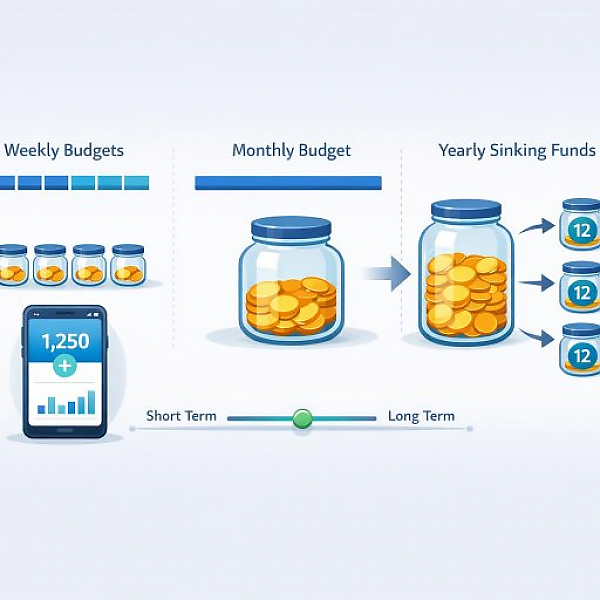
  • Plan yearly budgets for large, infrequent expenses and convert them into monthly sinking funds.
  • Review your choice of budget period regularly in your reports and adjust it to your actual habits.

With clearly chosen budget periods, your digital budget planner becomes more structured, and you’ll spot early whether you’re staying within your plan or need to make adjustments.


Download the Budget Tracker MyMicroBalance for Windows, Android or iOS






