10. March 2026 | How-Tow

Budget Rules Compared: The 60/20/20 Rule Explained Simply With a Real-World Example

Budget Rules Compared: The 60/20/20 Rule Explained Simply With a Real-World Example

What is the 60/20/20 rule for budgeting?

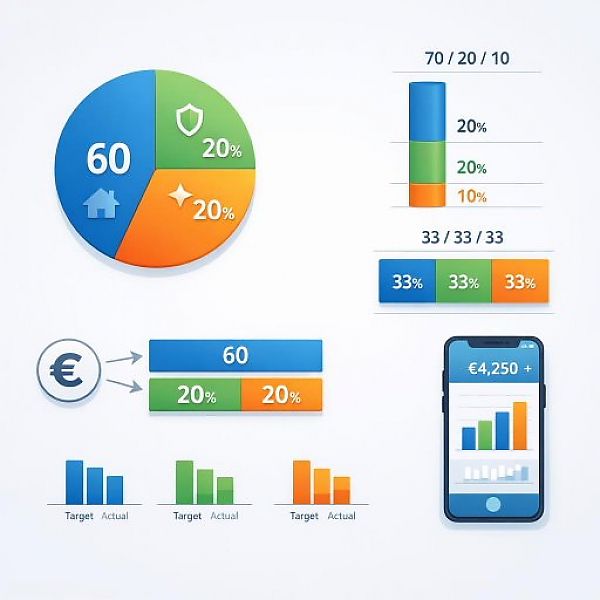
The 60/20/20 rule is a simple budgeting method: 60 % of your net income is intended for ongoing living expenses, 20 % for financial security (savings and debt reduction), and 20 % for wants and leisure. This way, you structure your spending clearly and can see right away in your budget tracker whether your priorities make sense.

The 60/20/20 rule explained in detail

The 60/20/20 rule divides your monthly net income (take-home pay after taxes and deductions) into three major areas:

  • 60 % for ongoing living expenses: for example rent, electricity, heating, groceries, public transit, cell phone, internet, insurance.
  • 20 % for financial security: savings (emergency fund), planned larger expenses (e.g., repairs), or paying down existing debt.
  • 20 % for wants and leisure: hobbies, trips, dining out, small extras that aren’t strictly necessary.

This split is a rule of thumb. It’s not a rigid law. It helps you get a feel for sensible limits and quickly spot in your budget tracker if one area is eating up too much.

Comparison: 60/20/20 and other budgeting rules at a glance

There are several simple budgeting rules. All of them use fixed percentages to allocate your income across areas like essentials, saving, and wants. The following models are especially well known:

  • 60/20/20 rule: Strong focus on ongoing costs, clear separation between security and leisure.
  • 70/20/10 rule: Even more room for ongoing costs, but less for wants.
  • Simple thirds rule (approx. 33/33/33): Roughly split income into three equal parts for living expenses, security, and wants.

The table below shows how an example net income of 2,000 € would be allocated under these rules. You can easily apply the amounts to your own income.

Budget rule (model) Living expenses
(rent, food, fixed costs)
Financial security
(savings, debt reduction)
Wants & leisure
(hobbies, going out, extras)
Example net income
2,000 €/month
60/20/20 rule 60 % = 1,200 € 20 % = 400 € 20 % = 400 € Allocation: 1,200 € / 400 € / 400 €
70/20/10 rule 70 % = 1,400 € 20 % = 400 € 10 % = 200 € Allocation: 1,400 € / 400 € / 200 €
Simple thirds rule
(approx. 33/33/33)
≈ 33 % = 660 € ≈ 33 % = 660 € ≈ 33 % = 660 € Allocation: 660 € / 660 € / 660 €
(20 € remaining due to rounding)

Which budget rule is right for me?

Which rule makes sense for you depends on your life situation. These models are guidelines. You can adjust them.

  • 60/20/20 rule: suitable if your living expenses are already within reason and you want to both save and still treat yourself.
  • 70/20/10 rule: helpful if your rent and fixed costs are high and you realistically need more for basics.
  • Thirds rule: a very simple, rough guideline if you just want an initial overview.

Important: First, track your current spending with a budget tracker like MyMicroBalance. Then you’ll see which rule you can realistically try.

How do I apply the 60/20/20 rule in a budget tracker?

With a digital budget tracker like MyMicroBalance, you can implement the rule in just a few steps. Use the approach below as a guide:

Step 1: Determine your monthly net income

  • Write down your monthly net income (take-home pay after taxes and deductions).
  • If your income fluctuates, you can calculate an average for the last 3 to 6 months.
  • Enter this amount as “income” in your budget tracker.

Step 2: Choose a budget rule and calculate amounts

  • Pick a rule from the comparison table, for example the 60/20/20 rule.
  • Convert the percentages into concrete euro amounts.
    Example with 2,000 € income:
    60 % = 1,200 € for living expenses
    20 % = 400 € for financial security
    20 % = 400 € for wants & leisure
  • Note these amounts as your monthly “target values.”

Step 3: Create categories in your digital budget tracker

  • In MyMicroBalance, create three to four main categories, for example:
    • “Living expenses” (for rent, electricity, groceries, transportation, insurance)
    • “Financial security” (for savings, emergency fund, debt repayment)
    • “Wants & leisure” (for going out, hobbies, streaming, small extras)
    • optional: “Other,” in case one-time items come up or items that are hard to categorize
  • Assign all fixed costs (recurring payments like rent, insurance) and variable costs (changing expenses like shopping, restaurant visits) to one of these categories.
  • During the month, consistently log new expenses under the appropriate category.

Step 4: Review monthly and adjust

  • At the end of the month (or weekly), compare the planned amounts with the actual spending in each category.
  • If a category is significantly above plan, you can:
    • reduce your spending in that area next month, or
    • slightly adjust the allocation rule (e.g., 65/20/15 instead of 60/20/20).
  • Document your adjustments in your budget tracker so you can track your progress over several months.

Practical tips for getting started with the 60/20/20 rule

  • Start small: If 20 % toward saving is too high, start with, for example, 10 % for financial security and increase the share gradually.
  • Make an emergency fund your goal: Many people aim first for several months’ rent or several months of expenses as a cash reserve. The 20 % for financial security can help you reach that goal step by step.
  • Review fixed costs: If your fixed costs alone consume more than 60 % of your income, MyMicroBalance helps you quickly see where you may be able to save—through contracts or habits.
  • Reevaluate the rule regularly: Your life situation changes. At least once a year, check whether the budget rule you chose still fits your day-to-day life.

Conclusion: The 60/20/20 rule as a clear structure in your budget tracker

The 60/20/20 rule provides a clear, easy-to-understand structure for your budget. It splits your income into living expenses, financial security, and wants. In a digital budget tracker like MyMicroBalance, you can see at a glance whether you’re staying within your limits. The rule doesn’t replace personalized planning, but it’s a great starting point to bring order to your finances and make more intentional decisions about what you spend your money on.


Download the Budget Tracker MyMicroBalance for Windows, Android or iOS






