

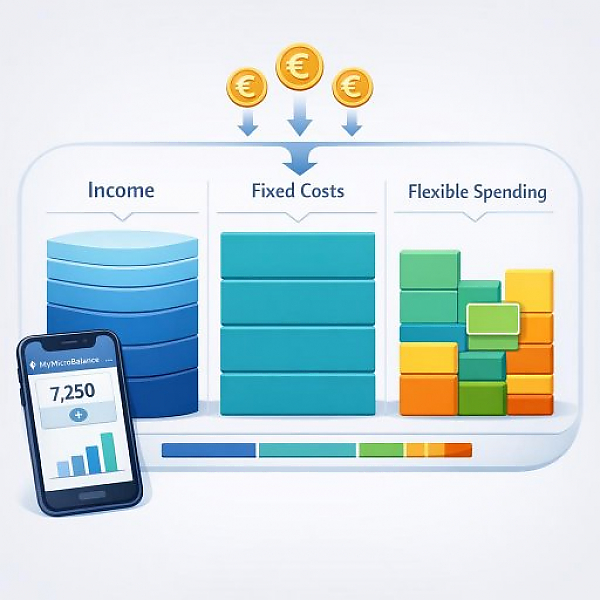
A budget tracker is most reliable when you divide every money movement into three clear areas: Income, Fixed costs, and Flexible spending. This way, you can immediately see what portion of your money is firmly committed and how much room you have for everyday expenses and extras.
In a digital budget tracker like MyMicroBalance, you first create the main groups. Underneath, you assign matching subcategories. The following table shows a sensible basic structure with typical examples and a suggestion for how you can name the categories.
| Main group | Subcategory | Typical examples | Suggested label in a digital budget tracker |
|---|---|---|---|
| Income Money coming in | Salary | Wages, salary, bonus payments | Income > Salary |
| Self-employment | Fees, side income, freelance work | Income > Self-employment | |
| Government benefits | Child benefit, parental allowance, other regular payments | Income > Government benefits | |
| Rental income | Rent payments from a rental property | Income > Rental income | |
| Subsidies & other | Child support, cash gifts, bonuses | Income > Other | |
| Refunds | Insurance reimbursements, tax refunds | Income > Refunds | |
| Fixed costs Regular, mostly stable expenses | Housing – rent / loan payment | Base rent, home or apartment loan | Fixed costs > Rent / loan payment |
| Housing – utilities | Electricity, heating, water, HOA fees | Fixed costs > Utilities | |
| Insurance | Liability, home contents, auto insurance, other policies | Fixed costs > Insurance | |
| Communication | Cell phone plan, internet, landline | Fixed costs > Communication | |
| Transportation – fixed | Monthly transit pass, lease payment, vehicle tax | Fixed costs > Transportation (fixed) | |
| Subscriptions & memberships | Membership fees, streaming subscriptions, magazines | Fixed costs > Subscriptions / memberships | |
| Recurring loans | Installments for consumer loans, student loans | Fixed costs > Loan payments | |
| Savings & reserves | Monthly transfers to savings or reserve accounts | Fixed costs > Savings / reserves | |
| Flexible spending Variable everyday expenses | Groceries | Supermarket, bakery, drugstore (essentials) | Flexible spending > Groceries |
| Eating & drinking out | Restaurant, snack bar, café, delivery | Flexible spending > Dining out | |
| Transportation – variable | Fuel, single tickets, parking fees, car sharing | Flexible spending > Transportation (variable) | |
| Household & home | Cleaning supplies, small purchases, decor | Flexible spending > Household | |
| Hobbies & leisure | Sports, clubs, games, leisure activities | Flexible spending > Hobbies / leisure | |
| Clothing & shoes | Everyday clothes, sportswear, shoes | Flexible spending > Clothing | |
| Health & personal care | Medication, copays, personal care products | Flexible spending > Health / personal care | |
| Gifts & celebrations | Birthdays, holidays, small gifts | Flexible spending > Gifts / celebrations | |
| Education & work | Books, courses, work supplies | Flexible spending > Education / work | |
| Other | Unplanned expenses that don't fit elsewhere | Flexible spending > Other |
In your digital budget tracker or in MyMicroBalance, first create the three main groups:
Use names that are as clear and short as possible. That way, you can quickly find the right categories on your smartphone.
From the table, choose 5 to 10 subcategories for each main group that fit your situation. A few well-chosen categories are better at the beginning than a very long list.
You can easily adjust the category names so they fit your everyday life. What matters is that you immediately understand what belongs where.
To make your budget tracker meaningful, assign each new transaction right away:
In an app like MyMicroBalance, you can save frequently recurring transactions. That makes assigning them even faster later on.
At the end of the month comes the most important step: the review. Filter or sort your entries by category.
This helps you see whether your current breakdown fits you or whether you need additional subcategories to draw more precise conclusions.
By dividing everything into income, fixed costs, and flexible spending, you create a simple but highly effective structure. You’ll see how much money is reliably tied up each month and where you can stay flexible in day-to-day life. If you use your categories consistently and review them regularly, your budget tracker—whether in MyMicroBalance or another digital tool—will become a dependable foundation for your future financial decisions.





 1
1 2
2 3
3 4
4

