

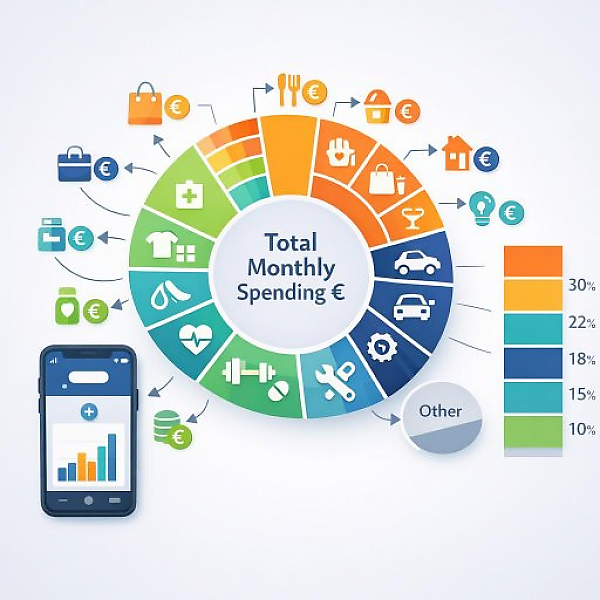
Expense categories are clearly defined groups that you use to classify every single expense in a digital budget book. Typical examples include Housing, Groceries, or Transportation. They help you organize your payments, make spending comparable, and see what share of your income goes where.
In a digital budget book like MyMicroBalance, a simple, easy-to-scan structure with a few main categories and clearly named subcategories has proven effective. The table below shows typical categories with examples. You can use this structure as a template for your own budget book.
| Main category | Typical subcategories | Typical entry examples | Recommended category naming in the digital budget book |
|---|---|---|---|
| Housing | Rent, electricity, heating, water, internet/phone, HOA fees | Rent transfer, monthly electricity payment, gas bill, internet contract | Main category: “Housing“ Subcategories: “Housing – Rent“, “Housing – Electricity“, “Housing – Heating“, “Housing – Internet“ |
| Everyday & Groceries | Groceries, drugstore, household, clothing, pet supplies | Grocery store purchase, cleaning supplies, laundry detergent, new jeans, pet food | Main category: “Everyday & Groceries“ Subcategories: “Everyday – Groceries“, “Everyday – Drugstore“, “Everyday – Clothing“, “Everyday – Household“ |
| Transportation | Public transit, car costs, bike, fuel, parking | Monthly pass, fuel charge, repair shop costs, parking fee | Main category: “Transportation“ Subcategories: “Transportation – Public transit“, “Transportation – Car“, “Transportation – Fuel“, “Transportation – Parking“ |
| Health & Personal care | Doctor, medications, health insurance (private), care products | Copay, pharmacy, dental bill, contact lenses | Main category: “Health & Personal care“ Subcategories: “Health – Doctor“, “Health – Medications“, “Health – Insurance“ |
| Leisure & Enjoyment | Restaurants, café, hobbies, streaming, books, sports | Restaurant visit, movie ticket, monthly sports club fee, streaming subscription | Main category: “Leisure & Enjoyment“ Subcategories: “Leisure – Restaurants“, “Leisure – Hobbies“, “Leisure – Media“ |
| Family & Kids | Daycare, school, allowance, kids’ clothing | Daycare fee, class trip, school supplies, toys | Main category: “Family & Kids“ Subcategories: “Family – Childcare“, “Family – School“, “Family – Allowance“ |
| Contracts & Insurance | Insurance, membership dues, recurring subscriptions | Liability insurance, club membership fee, magazine subscription | Main category: “Contracts & Insurance“ Subcategories: “Contracts – Insurance“, “Contracts – Subscriptions“, “Contracts – Memberships“ |
| Financial obligations | Loans, installment payments, child/spousal support, other regular payments | Installment for a financed purchase, support payment, other standing orders | Main category: “Financial obligations“ Subcategories: “Obligations – Loan“, “Obligations – Support“ |
| Reserves & Savings | Emergency fund, major purchases, vacation, repairs | Transfer to a separate savings account for vacation or new devices | Main category: “Reserves & Savings“ Subcategories: “Reserves – Emergency fund“, “Reserves – Vacation“, “Reserves – Purchases“ |
| Other | One-time expenses, items that are hard to classify | One-time fee, small cash expenses without a receipt | Main category: “Other“ Subcategories only if needed, e.g., “Other – One-time“ |
Without clear expense categories, you only see individual entries. With categories, you recognize patterns. For example, you can immediately see how much money you spend each month on housing, groceries, or leisure. That allows you to decide exactly where you want to make adjustments.
A digital budget book like MyMicroBalance automatically analyzes your categories. You get overviews and charts that show you at a glance which areas put the most strain on your household budget.
Before you define your category structure in detail, it’s worth taking a quick look back at your actual spending. This helps you avoid categories you’ll hardly use later.
The goal of this step is an initial, rough sorting. Perfection isn’t necessary yet. What matters is that every expense fits into a main group.
In the next step, transfer your structure into your digital budget book, for example in MyMicroBalance. Proceed systematically.
Tip: Use a consistent naming format, such as “Main category – Subcategory“ (for example “Housing – Rent“). This keeps your lists in MyMicroBalance easy to read and logically sorted.
For your structure to work in daily life, you need a fixed rule for how you log new expenses. The clearer the rule, the fewer mistakes and duplicate categories you’ll create.
This consistent approach ensures that your analyses in MyMicroBalance stay clean. You’ll then clearly see which parts of your household have the highest expenses.
A good category structure isn’t created in a day. It evolves. The key is that the framework stays stable and you only fine-tune when needed.
With this regular upkeep, your digital budget book in MyMicroBalance stays clear and manageable. At the same time, you ensure your categories match your real day-to-day life.
Too many categories often lead to confusion. Too few categories provide hardly any insight. For beginners, the following has proven effective:
If you find you only have one or two entries per year for a subcategory, consider whether those would fit better under a more general category. The goal is a clear, understandable structure—not maximum detail.
Once you’ve set up your expense categories cleanly in MyMicroBalance and used them consistently, you can analyze your finances very precisely:
That’s the core benefit of expense categories: they turn many individual entries into a clear picture of your household finances. This helps you keep control and make informed decisions for everyday life.





 1
1 2
2 3
3 4
4

