

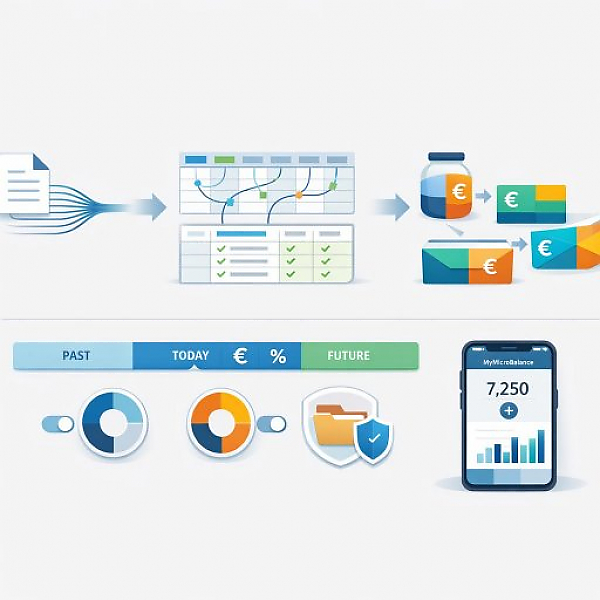
The new MyMicroBalance 6.1.0 update is here and brings features that make managing your household budget book simpler, safer, and clearer than ever before. The absolute highlight: a completely redesigned CSV import that effortlessly handles even the most complex bank data.<\/p>
Whether you keep a simple cash ledger or manage complex export files from different banks – data import is often the biggest hurdle. With our new intuitive 3-step assistant, manual typing is finally a thing of the past. We completely rethought the import process to make life easier for both non-technical users and data pros.<\/p>
If you are looking for a household budget book with maximum CSV flexibility, you will find the perfect solution here. The Universal Import meets the most modern requirements in an end-user-friendly interface:<\/p>
Conclusion:<\/strong> The new import wizard makes tracking finances easier than ever before. Complex under the hood, incredibly easy to use!<\/p>
Have you ever wondered what the rest of the month looks like financially while checking today’s current status? If the "Balance through Today" filter is active in the current month, simply hover your mouse over the large income, expense, or balance boxes at the bottom of the screen. A new, smart info window instantly shows you a detailed breakdown: the total balance for the month, the progress to date, and the future balance. This keeps your full financial plan perfectly in view without having to switch filters.<\/p>
For even better budget evaluation in the annual overview, we expanded the “Group Overview” and “Group History” tabs. Using new checkboxes, you can now precisely control which categories are listed:<\/p>
Using the new "Show Smart Check" checkbox, you can now decide whether the intelligent insights at the bottom of the screen are displayed. If you uncheck it, the lists for your income and expenses expand downward – creating significantly more space and clarity for your transactions. As soon as you check it again, you seamlessly return to the familiar view including the helpful tips.<\/p>
We redesigned the saving process from the ground up and made it more robust. A new background method ensures that your original file always remains intact even in the event of unexpected interruptions – such as intrusive antivirus scanners, cloud sync processes, or PC crashes. If a file is blocked, MyMicroBalance warns you in time and safely. Your valuable financial data is now even better protected against accidental data loss.<\/p>
A quick look into your financial future<\/h2>
Targeted analysis: More clarity for income and expenses<\/h2>
More screen space: Flexibly hide Smart Checks<\/h2>
Even more security for your data when saving<\/h2>





 1
1 2
2 3
3 4
4

