

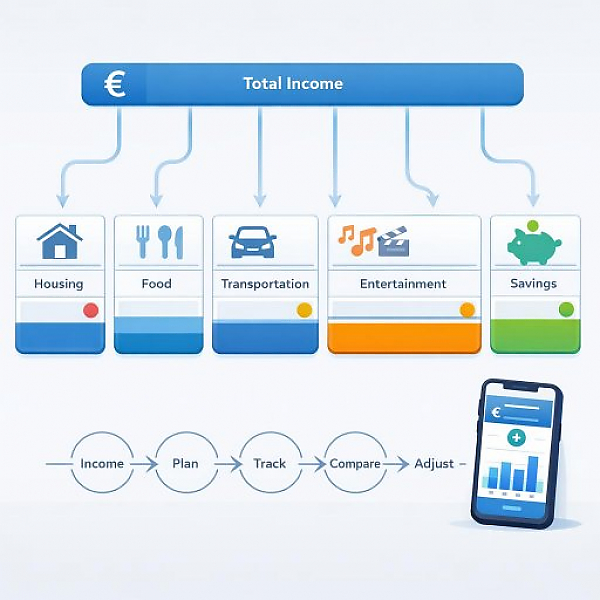
A personal spending plan is a pre-defined allocation of your expected income across different spending categories (for example, rent, groceries, transportation, leisure). This way, in your digital budget tracker, you give every dollar a job and can later review exactly where you spent more or less than planned.
In a digital budget tracker like MyMicroBalance, you first set planned amounts. Then you record all real, i.e., actual, expenses. At the end of the month, you compare both. The following table shows a typical example with a simple traffic-light logic for evaluation:
| Category | Planned monthly amount (€) | Actual spending (€) | Difference (€) / Traffic light |
|---|---|---|---|
| Rent / Rent incl. utilities | 900 | 900 | 0 (green – on plan) |
| Electricity & heating | 80 | 95 | -15 (yellow – slightly over plan) |
| Groceries | 300 | 360 | -60 (red – significantly over plan) |
| Public transit (bus & rail) | 60 | 55 | +5 (green – under plan) |
| Car (fuel & upkeep) | 120 | 140 | -20 (yellow – slightly over plan) |
| Insurance | 90 | 90 | 0 (green – on plan) |
| Leisure & dining out | 150 | 210 | -60 (red – significantly over plan) |
| Reserves / Savings | 200 | 160 | -40 (yellow – saved less) |
Traffic-light logic at a glance:
A personal spending plan helps you organize your finances. You see not only where your money goes, but also whether it fits your income. Spontaneous spending without a plan often leads to running short at the end of the month or building no reserves.
With a plan, you can:
Below is a simple process guide you can implement directly in a digital budget tracker like MyMicroBalance.
Start with a clear overview of your monthly income. This includes, for example:
Enter this income in your budget tracker. In MyMicroBalance, you create the corresponding income entries for this.
Then create a simple list of 5–10 main categories for your expenses. Typical categories are:
Create these categories in your digital budget tracker as expense categories. Keep the list manageable so you don’t lose track.
In the next step, determine a realistic monthly amount for each category. The best reference is your account statements from the last 1–3 months.
Proceed as follows:
Enter these amounts in your budget tracker as planned values or budgets for each category. In MyMicroBalance, you can do this via the budgeting/planning features by storing a monthly amount per category.
A spending plan only works if you consistently record your actual expenses. Make it a routine:
In MyMicroBalance, you record each expense with date, amount, and category. Over time, this creates a clear picture of your actual spending.
At the end of the month comes the most important step: the plan-vs.-actual comparison. You check how your actual spending compares to the planned amounts.
Use the following points as a guide:
Examples for interpretation:
A personal spending plan is not a rigid system. It works because you adjust it regularly. The final step in the process:
Typical rules might be:
In MyMicroBalance, you can store such rules as notes or comments on the categories. That way, when recording expenses, you immediately see the limit you set for yourself.
Without a plan, many people spend money spontaneously. They decide in the moment: “Do I have money in my account right now?” instead of “Does this fit my monthly plan?” This often leads to these problems:
A planned spending plan flips the order:
This helps you stay in control of your spending without having to forbid every small thing. The spending plan gives you a clear framework that lets you move through everyday life with confidence.
A personal spending plan is the foundation of a useful digital budget tracker. You allocate your income across clear categories, give every dollar a job, and regularly check where you deviate from the plan.
With a tool like MyMicroBalance, you can implement this process easily:
This way, step by step, your spending plan becomes a reliable tool that helps you understand your finances better and shape them more intentionally.





 1
1 2
2 3
3 4
4

