

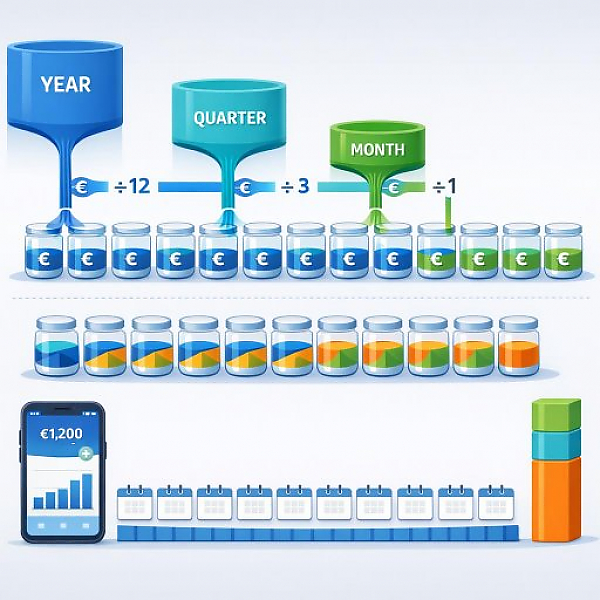
Recurring expenses are costs that occur regularly at fixed or semi-fixed intervals (for example, monthly, quarterly, or annually). In a digital budget, you should always convert them into a monthly average amount so your budget remains comparable and easy to plan.
The table below shows typical recurring expenses. You’ll see the payment frequency, the original amount, and the corresponding monthly amount. This makes it easy to recreate your personal plan.
| Type of expense | Payment frequency | Original amount | Calculation | Monthly amount (rounded) |
|---|---|---|---|---|
| Auto insurance | annually | €600 per year | €600 ÷ 12 months | €50 per month |
| Personal liability insurance | annually | €90 per year | €90 ÷ 12 months | €7.50 per month |
| Streaming subscription | monthly | €12 per month | €12 ÷ 1 month | €12 per month |
| Gym membership | monthly | €35 per month | €35 ÷ 1 month | €35 per month |
| Broadcasting fee | quarterly | €55 per quarter | €55 ÷ 3 months | approx. €18.35 per month |
| Club membership fee | annually | €120 per year | €120 ÷ 12 months | €10 per month |
| Heating system maintenance | annually | €180 per year | €180 ÷ 12 months | €15 per month |
| Cloud storage / software subscription | annually | €60 per year | €60 ÷ 12 months | €5 per month |
Many people experience one “expensive month” each year—when multiple bills hit at once. For example, insurance, maintenance, and a club membership fee. Without planning, it feels like a shock.
When you convert all recurring expenses to a monthly amount, the following happens:
The first step is only about collecting. You don’t need to calculate any amounts yet.
Proceed as follows:
Typical recurring expenses include, for example:
Important: This is not about one-off purchases like clothing or groceries. It’s about payments that are planned and repeat.
Now convert each of these amounts into a monthly average. This lets you compare expenses directly with your monthly income.
The basic formulas are simple:
In practice, a simple rounding to 2 decimal places is usually enough. Example: €55 ÷ 3 = €18.33. In the example table above, it was rounded to €18.35 to keep the total realistic. You can choose a clear rule, for example:
More important than perfectly exact math is applying the method consistently.
To keep your budget organized, a dedicated category is recommended. In a digital solution like MyMicroBalance, you can easily create and customize this category.
Do it like this:
Important: Even if a bill only leaves your account once a year, it appears in your plan every month with the corresponding average value. That way, you can see what you can truly afford month to month.
A budget isn’t a one-time project. It’s a tool you maintain regularly—such as once a month.
So pick a fixed time, for example at the beginning of the month or right after payday. Then check:
With every new bill, ask yourself:
If yes, then:
This keeps your plan up to date. Surprises become less frequent.
With digital budgeting software like MyMicroBalance, you can implement these steps systematically:
This helps you quickly recognize what is being deducted from your budget month after month almost automatically. Based on that, you can better estimate how much money you have available for other areas like shopping, leisure, or reserves.
If you use this simple system consistently, your budget becomes a reliable foundation for your day-to-day finances. You’ll clearly see which expenses bind you long term and can make more deliberate decisions about which new commitments you want to take on.





 1
1 2
2 3
3 4
4

