

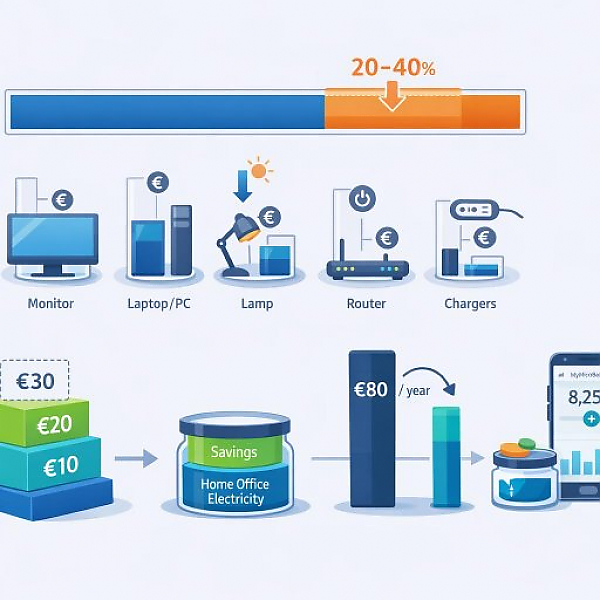
If you optimize your monitor, laptop/PC, lamp, router, and chargers, you’ll usually save 20–40% on your home office electricity costs in the spring. Depending on usage, that’s roughly €10–€30 per month.
So you can clearly see how much you save, we use simple assumptions:
The figures are examples. Your numbers may be a bit higher or lower. But you’ll get a realistic direction.
The table shows typical wattage, runtime, and costs—plus what happens when you use simple saving measures.
| Device | Typical power (watts) | Spring use (hrs/day) | Use before (kWh/month) | Cost before (€ / month) | Measure | Use after (kWh/month) | Cost after (€ / month) | Savings (€ / month) |
|---|---|---|---|---|---|---|---|---|
| Monitor (24–27 inches) | 40 W | 8 hrs | 6.4 | €2.24 | Brightness & power-saving mode (approx. −40%) | 3.8 | €1.33 | €0.90 |
| Laptop as primary device | 30 W | 8 hrs | 4.8 | €1.68 | Power-saving mode, dimmer display (approx. −30%) | 3.4 | €1.19 | €0.49 |
| Desktop PC (without monitor) | 150 W | 8 hrs | 24.0 | €8.40 | Power-saving mode, disable standby (approx. −25%) | 18.0 | €6.30 | €2.10 |
| Desk lamp (LED) | 8 W | 4 hrs | 0.64 | €0.22 | Use daylight, keep the lamp on for half the time | 0.32 | €0.11 | €0.11 |
| Router (always on) | 10 W | 24 hrs | 7.2 | €2.52 | Off at night & on weekends (approx. −35% runtime) | 4.7 | €1.64 | €0.88 |
| Smartphone + notebook chargers | 15 W total | 3 hrs | 0.9 | €0.32 | Charge only when needed, no always-on outlet (−50%) | 0.45 | €0.16 | €0.16 |
Total savings in the example: about €4.64 per month from settings alone. If you also replace a desktop PC with an efficient laptop, €10–€20 per month is often possible.
You need clarity. That’s what keeps you consistent. Set up a dedicated home office account in your household budget. This can be an app, a spreadsheet, or a notebook.
Your advantage: you’ll see in black and white how your new habits affect your budget. That’s motivating.
Your screen runs for many hours. Small changes can have a big impact.
With a monitor like the one in the table, you save about €0.90 per month. If you have two monitors, that doubles.
On a laptop, this quickly saves €0.50–€1 per month. On a desktop PC, good power management often saves €2–€3.
In spring, it stays light longer. Use that intentionally.
In the example, you cut lamp hours in half. That only saves about €0.10 per month, but it takes virtually no effort—and adds up with other measures.
Routers and chargers often run around the clock. That’s where silent consumption hides.
In the example, runtime drops by about 35%. You save about €0.90 per month on the router. Over a year, that’s a bit over €10.
This saves about €0.15–€0.20 per month in the example. It sounds small, but there’s no loss of convenience.
This is where the biggest potential is. An older desktop PC often uses significantly more electricity than a modern laptop.
Let’s assume an example with 8 hours of use on 20 days per month:
Difference: about €6.70 per month. Over a year, that’s about €80, just for the work device.
Example: if the laptop costs €500 and you save €7 per month, divide 500 by 7. That’s about 71 months, i.e., almost 6 years, for the device to pay for itself through electricity alone. But if you also use the laptop privately and replace a very old device, switching can pay off sooner.
With this simple list, you can implement everything in under 30 minutes.
You don’t need to turn your life upside down. If you optimize the five devices in your home office with intention, 20–40% lower electricity costs is realistic. That eases your budget month after month—and it’s completely in your hands.





 1
1 2
2 3
3 4
4

