27. February 2026 | How-Tow

Structuring Income in Your Budget: Primary, Secondary, and One-Time Income Explained Simply

Structuring Income in Your Budget: Primary, Secondary, and One-Time Income Explained Simply

What are primary, secondary, and one-time income?

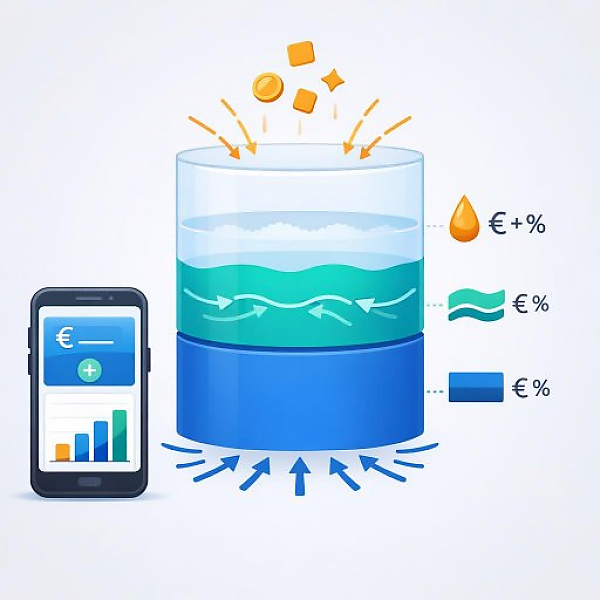
Primary income is regular cash inflow you mainly live on (for example, your salary), secondary income is additional, usually smaller income alongside your primary income (for example, a mini-job), and one-time income is irregular cash inflow without a fixed schedule (for example, a tax refund or cash gifts).

Overview: Income groups in your budget tracker (definition & assignment)

The following table helps you clearly structure all income in your budget tracker—for example, in MyMicroBalance. For each of the three groups, you’ll see: definition, typical examples, the recommended label in the app, and timing/frequency.

Income group Short definition Typical examples Recommended label in the app Timing/frequency
Primary income Regular main income you primarily live on. Salary, wages, apprenticeship/training pay, retirement benefits, pension, regular child support/alimony payments. “Primary income – Salary”, “Primary income – Retirement”, “Primary income – Support”. Usually monthly, relatively stable amount; occasional fluctuations possible (e.g., overtime).
Secondary income Additional income alongside your primary income, often smaller and sometimes variable. Mini-job, side job, small freelance gigs, occasional sales proceeds (e.g., flea market), recurring bonuses. “Secondary income – Mini-job”, “Secondary income – Sales”, “Secondary income – Fee”. Varies: monthly, irregular, or seasonal.
One-time income Irregular or one-off cash inflows with no fixed plan. Tax refund, bonus payment, reimbursements from insurance or employer, cash gifts, inheritance, repayments from friends, sale of larger items. “One-time income – Tax refund”, “One-time income – Gift”, “One-time income – Repayment”. No fixed schedule, often one-time or only a few times per year.

Why this structure significantly improves your budget tracker

If you split your income into these three groups, you can tell at a glance:

  • how secure your primary income is,
  • how much you rely on secondary income,
  • what share one-time income makes up of your total budget.

This helps you plan your expenses better. You avoid funding ongoing expenses with uncertain income. That way, your budget tracker with MyMicroBalance becomes not just a list, but a tool for clear decisions.

Step-by-step guide: Assigning income correctly

Step 1: Gather all cash inflows from the last 2–3 months

  • Pull your bank statements for the last 2–3 months.
  • Also review pay stubs and other credits.
  • Write down every income item in a simple list (date, amount, short description).

Goal of this step: You’ll see what actually hits your account in practice—not just what you have in your head.

Step 2: Assign each income item to one of the three main groups

  • Go through your list line by line.
  • Assign each income item to one of the three groups: primary income, secondary income, or one-time income.
  • Use the table above as a reference if you’re unsure.

A simple check:

  • Question 1: “Do I expect to receive this every month or on a fixed schedule?” → more likely primary income.
  • Question 2: “Is this in addition to my normal income, but recurring or more frequent?” → more likely secondary income.
  • Question 3: “Is this something one-off or very rare with no plan?” → more likely one-time income.

Step 3: Create or adjust income categories in your digital budget tracker

  • Open your digital budget tracker, for example in MyMicroBalance.
  • Under “Income,” create your own categories following the table’s pattern.
  • Recommendation: Start with a few clear categories, e.g.:
    • “Primary income – Salary”
    • “Secondary income – Mini-job”
    • “One-time income – Tax refund”
  • Rename existing vague categories (“Other income”) so they are clearly assigned to one of the three groups.
  • Consistently assign all past entries to the appropriate new categories.

Important: Fewer, clearly named categories are better than many unclear ones. Each category should immediately indicate what type of income it is.

Step 4: Review monthly totals separately by income group

  • In MyMicroBalance, use the category-based reports.
  • For a given month, review in order:
    • Total primary income,
    • Total secondary income,
    • Total one-time income.
  • Compare these totals across multiple months.

Guiding questions for your analysis:

  • Is your primary income enough to cover your regular expenses?
  • How much does your secondary income fluctuate month to month?
  • How dependent is your budget on one-time income?

The more clearly you separate these three groups, the better you’ll understand which income is truly reliable and which you should treat as a bonus. Your budget tracker becomes more organized, more realistic, and more helpful over the long term.

Practical tips for choosing categories in MyMicroBalance

  • Make the group obvious in the category name (e.g., start with “Primary income – …” or “One-time income – …”).
  • Use wording similar to the table. This makes reporting easier later.
  • Every few months, check whether a category is getting too broad or too general, and adjust it as needed.
  • Whenever possible, keep your old category name and just extend it instead of constantly inventing completely new terms. That way, your reports remain comparable.

With this clear structure of primary income, secondary income, and one-time income, your digital budget tracker becomes a reliable data foundation. You’ll see not only how much is coming in, but also how stable that income is—and that is exactly the basis for intentional planning with MyMicroBalance.


Download the Budget Tracker MyMicroBalance for Windows, Android or iOS






