

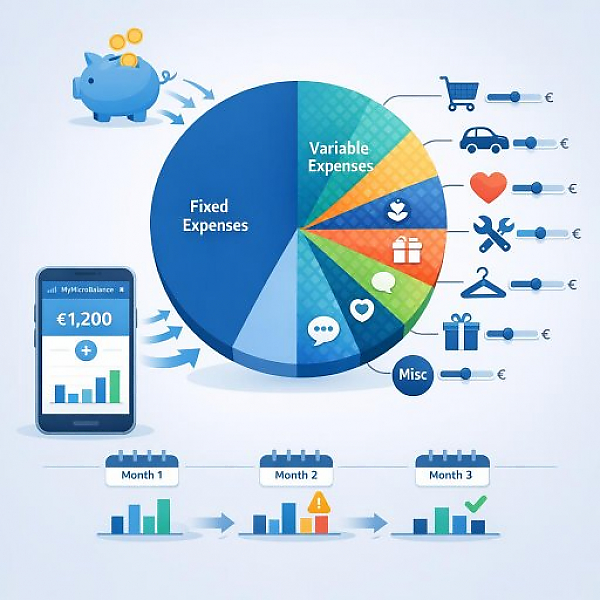
Variable expenses are all costs that fluctuate in amount or frequency. They don’t always occur at the same level and often not on a fixed date. Examples include grocery shopping, gas, restaurant visits, leisure activities, or certain healthcare costs. Unlike fixed expenses (such as rent or insurance), variable expenses can often be adjusted day to day or cut in an emergency.
In a digital budget tracker like MyMicroBalance, you’ll stay on top of things when you divide variable expenses into clear categories. The table below shows common categories, sample amounts, tips for assigning them in the app, and whether the item can be reduced in an emergency.
| Variable expense category | Example expenses (month, approx. in €) | Assignment in a digital budget tracker | Reducible in an emergency? |
|---|---|---|---|
| Groceries | €250 supermarket, €80 bakery, €70 restaurant | Create the main category “Groceries,” for example with subcategories: “Groceries – Supermarket,” “Groceries – Bakery,” “Groceries – Restaurant.” Tag transactions with keywords like “food” and “drinks.” | Partly reducible (e.g., fewer restaurant meals, cheaper brands) |
| Transportation & Gas | €120 gas, €40 public transit, €30 parking fees | Create the main category “Transportation,” with subcategories like “Gas,” “Public Transit,” and “Parking.” Always assign tickets, fuel receipts, and parking apps to this category. | Limited reducible (carpooling, walking or biking more) |
| Leisure & Hobbies | €50 movies/streaming, €60 sports club, €40 day trips | Main category “Leisure & Hobbies.” Subcategories e.g. “Sports,” “Media,” “Day Trips.” Put everything fun- and hobby-related here. | Highly reducible (go out less, choose cheaper alternatives) |
| Health & Personal Care (variable) | €25 pharmacy, €20 doctor copay, €15 drugstore | Main category “Health & Personal Care.” Subcategories e.g. “Pharmacy,” “Doctor Copay,” “Drugstore.” Only book the costs that aren’t fixed/planned here. | Partly reducible (e.g., use discounts, plan supplies) |
| Household & Repairs (variable) | €40 cleaning supplies, €60 small repairs, €30 decor | Main category “Household (variable).” Subcategories such as “Cleaning,” “Small Repair,” “Decor.” Don’t confuse this with fixed utilities (e.g., the base electricity charge). | Highly reducible (skip decor, bundle repairs) |
| Clothing & Shoes | €70 clothing, €50 shoes, €20 accessories | Main category “Clothing & Shoes.” For larger one-off purchases, record them as a separate transaction and add keywords like “winter coat.” | Highly reducible (delay purchases, buy secondhand) |
| Gifts & Special Occasions | €40 birthdays, €60 parties/celebrations | Main category “Gifts & Occasions.” Add the person’s name or occasion in the notes field (e.g., “Gift sister birthday”). | Partly reducible (lower spending limit, plan early) |
| Miscellaneous (variable) | €30 odds and ends, €20 impulse purchases | Main category “Miscellaneous (variable)” for anything that doesn’t fit another category. Use only as an exception so you don’t lose clarity. | Usually highly reducible (limit impulse purchases) |
Variable expenses often determine whether your budget works out or not. If you record these items cleanly in categories, assign them clearly in your budget tracker, and set monthly limits, you’ll quickly see where savings potential is hiding. With a structured approach and a digital tool like MyMicroBalance, your budget tracker becomes a simple but effective control tool for your finances.





 1
1 2
2 3
3 4
4

