

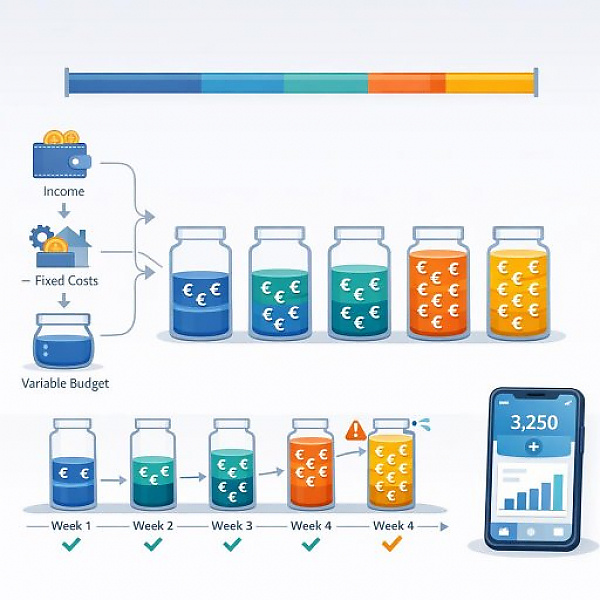
A spending limit is a maximum amount you set in advance that you do not want to exceed during a specific period (usually a month) or within a specific category (for example, groceries or leisure). In a digital budget tracker like MyMicroBalance, this limit serves as a benchmark so you can see at any time whether you are still within range or have already exceeded your budget.
In a digital budget tracker, you set a separate spending limit for each important expense category. Every transaction is assigned to a category. The software then shows you, for each category:
This makes it easy to see where you still have flexibility and where you should slow down.
The table below shows a simple monthly example. For each category, you can see a planned limit, the amount spent so far, and the remaining budget. This is how it works in a digital budget tracker like MyMicroBalance as well.
| Category | Planned limit (month) | Spent so far | Remaining budget |
|---|---|---|---|
| Housing (for example, electricity, internet, small household purchases) | 150 € | 90 € | 60 € |
| Mobility (for example, gas, public transit tickets) | 120 € | 70 € | 50 € |
| Groceries | 300 € | 220 € | 80 € |
| Leisure & entertainment | 100 € | 95 € | 5 € |
| Health (for example, medication, copays) | 60 € | 20 € | 40 € |
| Other (unplanned small expenses) | 80 € | 30 € | 50 € |
In a digital budget tracker, these values are calculated automatically as soon as you enter your expenses. You can then immediately see how much is still available for the current month.
A spending limit helps you manage your money intentionally. Instead of only seeing after the fact where your money went, you actively plan ahead.
This turns your budget tracker from a simple log into an easy control tool for your spending.
Before you can set meaningful spending limits, you need to know how much money you actually have available for variable expenses. Variable expenses are expenses that can change from month to month, for example groceries or leisure.
Write down this amount. It is the framework your spending limits should fit within.
Now create your most important categories in the digital budget tracker. In software like MyMicroBalance, you can define custom categories that match your situation.
Common examples of variable expenses:
Avoid creating too many categories. A few clear areas are enough at the beginning. That makes it easier to stay organized.
Now assign a separate monthly spending limit to each category.
Then enter these limits as monthly amounts in your digital budget tracker. In MyMicroBalance, you can store a separate limit for each category.
For a spending limit to truly help, you need three key values per category:
In a digital budget tracker like MyMicroBalance, these values are maintained automatically when you:
This way you can see at a glance how your current month is going. If a category is in the red, you immediately know you should be more careful.
A spending limit only helps if your data is accurate. That means: every expense needs a category.
The more consistent you are here, the more accurately the budget tracker will show how close you are to your limits.
Planning is the first step. The second step is regular review. Set aside a few minutes once a week.
If you notice that a limit is consistently too strict or too loose, adjust it for the next month. Over time, you will develop limits that fit your real day-to-day life well.
With clear spending limits and a digital overview like in MyMicroBalance, you turn your budget tracker into a simple but effective control instrument for your daily life.





 1
1 2
2 3
3 4
4

