

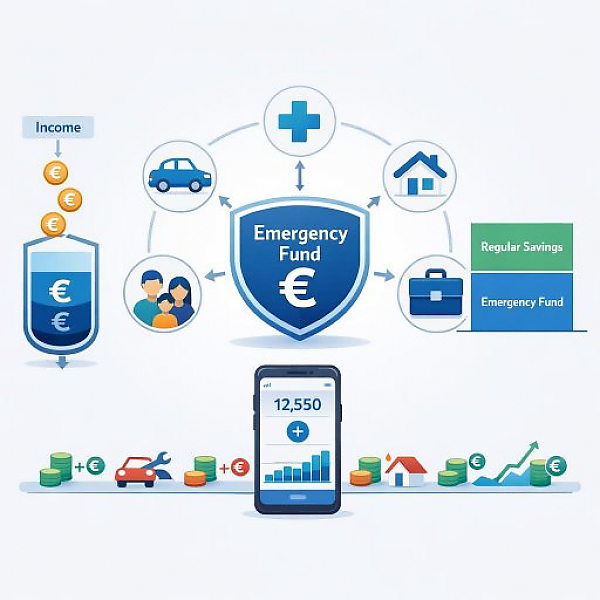
An emergency fund budget is the part of your household plan where you regularly set aside a fixed amount for unexpected expenses (for example repairs, illness, or job loss) and manage it in your digital budget planner as its own category or budget pot, separate from your normal day-to-day spending.
An emergency fund is money you set aside only for real emergencies. It is your financial safety net.
It’s important to distinguish it from normal savings:
Your emergency fund budget is the area in your budget planner where you plan, build, and track this exact safety amount.
Not every surprise expense is an emergency. An emergency is an expense that:
Typical examples you can cover with your emergency fund budget:
A conscious distinction: New clothes on sale are not an emergency. A winter coat you urgently need because the old one suddenly became unusable and you’d otherwise be cold can be an emergency. This is where your clearly defined emergency fund budget helps you decide.
In a digital budget planner like MyMicroBalance, you can manage your emergency fund as its own category. Below is a simple example structure for one month.
| Date | Entry type | Category in budget planner | Description | Amount | Impact on emergency fund pot |
|---|---|---|---|---|---|
| 05/01 | Deposit | Security / Emergency fund | Monthly set-aside (expense to myself) | + €100 | Emergency fund grows to €100 |
| 05/15 | Emergency expense | Car | Unexpected car repair | - €250 | Note: €250 should be paid from the emergency fund |
| 05/15 | Offset entry | Security / Emergency fund | Withdrawal for car repair | - €250 | Emergency fund drops from €100 to -€150 (needs to be refilled gradually) |
| 06/01 | Deposit | Security / Emergency fund | Monthly set-aside | + €100 | Emergency fund improves from -€150 to -€50 |
Important: You can see that every emergency expense is recorded in its specific category (for example “Car”) and, in addition, a second movement takes place in the emergency fund pot. This keeps your reporting clean, while you still track your safety reserve.
You can use the following steps in MyMicroBalance or a similar digital budget planner.
The right size of an emergency fund varies from person to person. It depends, for example, on whether you live alone, have a family, or how secure your income is.
One possible framework many people use:
Important: This is not personal financial advice, but only a general classification. You decide which goal for your emergency fund fits your situation.
If you manage your emergency fund as its own budget in a digital budget planner, you gain several benefits:
With MyMicroBalance, you can implement your emergency fund budget particularly clearly:
This turns your emergency fund budget in MyMicroBalance into a clearly visible safety anchor in your digital budget planner.





 1
1 2
2 3
3 4
4

