

Combine the depth of detail of your PC with the mobility of your smartphone. No more receipt clutter, no more forgotten expenses.
Classic spreadsheets have a problem: They are at home on the PC while you are spending money at the supermarket. The result: Receipts pile up and get forgotten.
With VIP synchronization, you change that:
Thanks to practical synchronization, income and expenses are up to date on all devices.
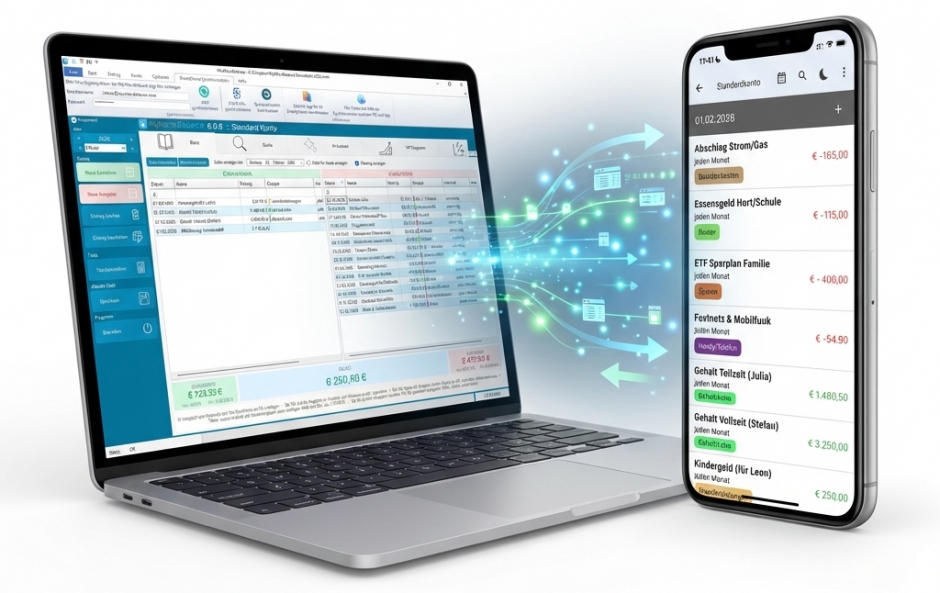
In three simple steps to a networked financial planner.
Download the MyMicroBalance app to your smartphone and create your free user account there in just a few seconds.
Start MyMicroBalance on your computer. Go to the item "Smartphone Synchronization" in the main menu. Enter the app's access data there.
Click on "Synchronize now" on the PC. The software now reconciles the data. Tip: Activate "Synchronize every 5 min." for automatic syncing.
No. A VIP license key on your PC unlocks the interface. For the synchronization itself, you do not need an additional In-App subscription on your smartphone.
Synchronization stops. Your data remains on both the PC and the mobile phone, but is no longer reconciled. As soon as you activate a new license on the PC, the syncing continues.
Yes. Simply enter the same user data under "Smartphone Synchronization" on the second computer. MyMicroBalance then reconciles both PCs via your app user account.
|
Budget Planner MyMicroBalance VIP for
6 months
€ 21,90
incl. 20 % VAT
€ 3,65
Per Month calculated
|
Budget Planner MyMicroBalance VIP for
12 months
€ 29,90
incl. 20 % VAT
€ 2,49
Per Month calculated
YOU SAVE 32%
|
Best Price
Budget Planner MyMicroBalance VIP for
36 months
€ 44,90
incl. 20 % VAT
€ 1,25
Per Month calculated
YOU SAVE 66%
|
Already purchased a license key? If you would like to use your right to cancel your purchase within 30 days, quickly and easily fill out our withdrawal form for a full refund.
Open withdrawal formLet's be honest: Do you believe that with an optimal financial overview you can save more than € 1,25 per month?
If so, then this investment is very likely one of the most important decisions for your finances in 2026.





 1
1 2
2 3
3 4
4