

To get detailed help please click on one of the following topics. You can also scroll though the list to find new features and learn more about the budget planning tool MyMicroBalance.
First Steps
Analysis
Main User Interface
MyMicroBalance can automatically create backup copies of your balance file. If the current file can no longer be opened correctly after a power failure, file damage, or an accidental change, you can restore an earlier version.
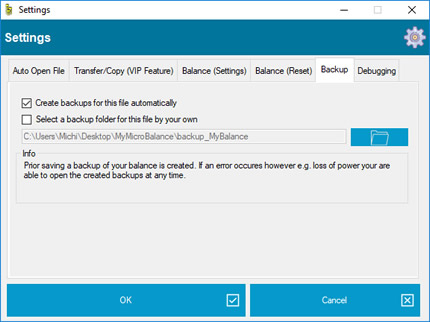
The setting applies to the currently open balance file. If you use several balance files, configure the required backup setting separately for each file.
MyMicroBalance creates a backup before saving the balance file. Several restore points can therefore be present in the backup folder. Check the file name and modification date when choosing the most suitable version.
Only a limited number of automatic backup generations are retained. Once an older backup has already been overwritten, MyMicroBalance cannot recreate that earlier state. For important milestones, keep an additional copy outside the automatic backup sequence.
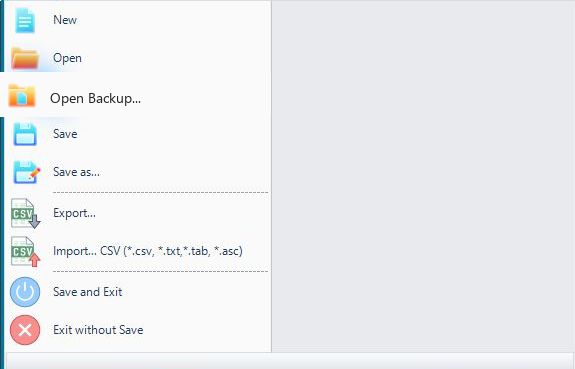
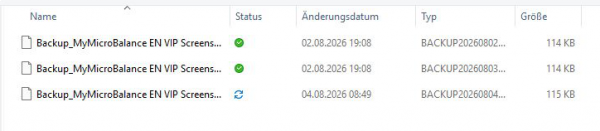
A backup always represents the complete state of the balance file at the time it was created. If an account, transaction, or setting is missing in that restore point, it may have been created or changed later. Open an earlier or later backup and compare the data before saving the restored file.





 1
1 2
2 3
3 4
4