

To get detailed help please click on one of the following topics. You can also scroll though the list to find new features and learn more about the budget planning tool MyMicroBalance.
First Steps
Analysis
Main User Interface
The currency settings define the main currency used in your MyMicroBalance file and whether an additional secondary currency should be shown for conversion.
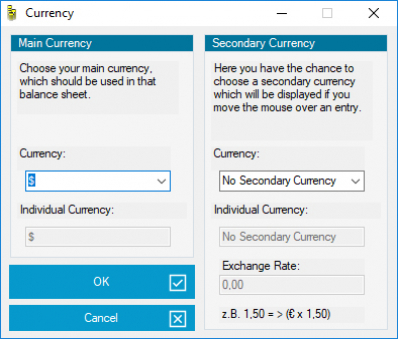
The main currency is used in the Balance Sheet, print views, charts, and analyses. In addition to the predefined currencies, you can enter an individual currency symbol with up to three characters.
The secondary currency converts values from the main currency. Once a secondary currency and exchange rate are configured, MyMicroBalance can display the converted amount as additional information when you move the mouse over a transaction or balance.
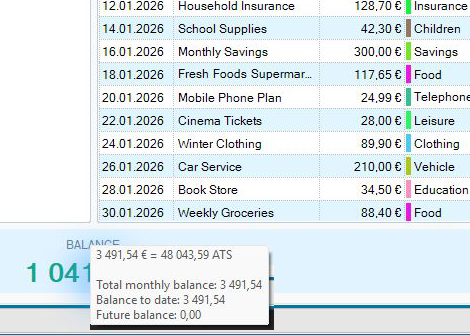
Enter the required rate for the secondary currency, for example when you also want to review amounts in dollars or another currency. Update the rate regularly if you require current conversions.

 1
1 2
2 3
3 4
4