

To get detailed help please click on one of the following topics. You can also scroll though the list to find new features and learn more about the budget planning tool MyMicroBalance.
First Steps
Analysis
Main User Interface
Account Management lets you organize multiple accounts inside one MyMicroBalance file. For example, you can maintain a standard account, a cash account, and a separate savings account and view receipts, expenditures, and balances for each account.
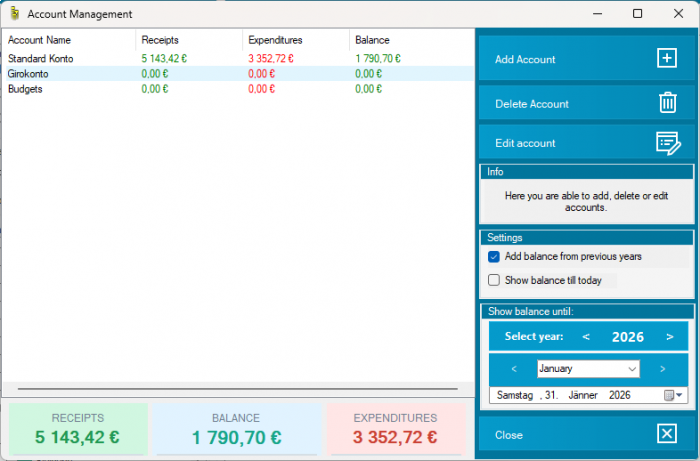
Select the year, month, and date on the right side of Account Management. Enable the carryover option to include balances from previous years. Enable the balance-until-today option to limit the display to today or the selected date.
You can create a new account directly in Account Management. You can also use Add New Account in the account selector in the main window if that command is displayed.
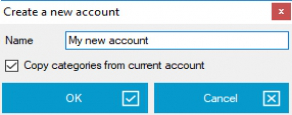
Click Edit Account to change the name or settings of an existing account. Click Delete Account to remove an account.
Important: deleting an account removes all of its entries from the MyMicroBalance file. Check carefully that you no longer need the account and create a backup of the file before deleting it.


 1
1 2
2 3
3 4
4