

To get detailed help please click on one of the following topics. You can also scroll though the list to find new features and learn more about the budget planning tool MyMicroBalance.
First Steps
Analysis
Main User Interface
In Printer Settings, you define how MyMicroBalance prints a report on paper. This includes paper size, paper source, portrait or landscape orientation, and page margins.
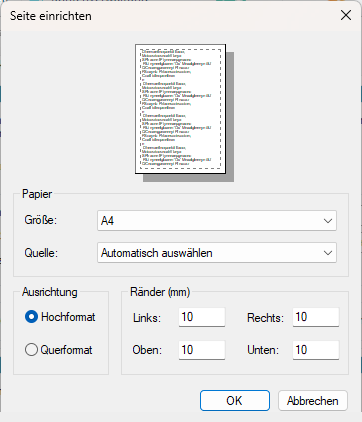
Under Size, select the paper size, for example A4. Under Source, select the printer tray or let Windows choose the source automatically.
The margins define the space between the content and the left, right, top, and bottom edges of the paper. If content appears cut off, increase the margins or switch to landscape orientation.
Printer Settings affect only the printout. Your receipts, expenditures, and saved budget data are not changed.

 1
1 2
2 3
3 4
4