

To get detailed help please click on one of the following topics. You can also scroll though the list to find new features and learn more about the budget planning tool MyMicroBalance.
First Steps
Analysis
Main User Interface
Column Property Management adds custom fields to your MyMicroBalance file. You can use these fields to store comments, quantities, foreign currencies, or calculated values together with your receipts and expenditures.
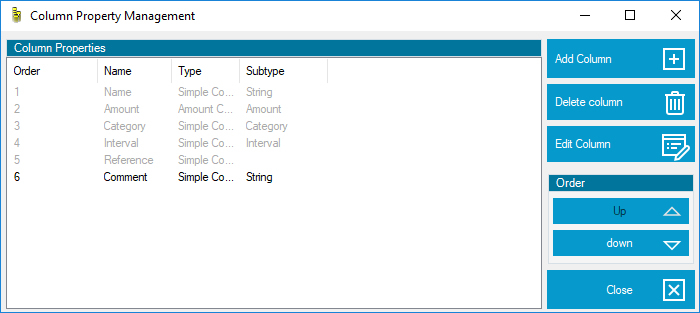
Select a column and move it with Up or Down. This determines the order in which custom fields appear in the Balance Sheet and entry dialogs.
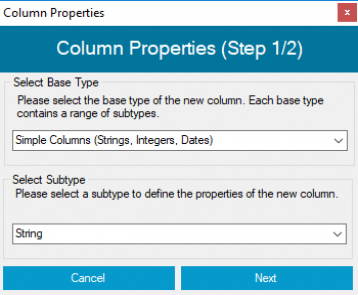
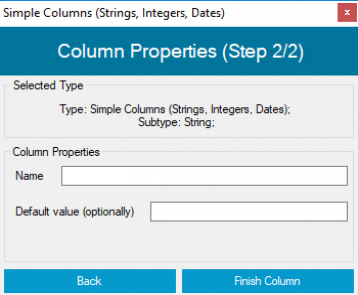
Simple columns store additional text, numbers, or dates. Examples include a comment, receipt number, or quantity. An optional default value can populate older entries and speed up new entries.
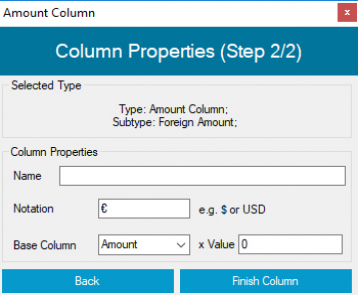
Currency columns record or convert additional amounts. For a foreign currency, specify the currency symbol, source column, and exchange rate.
Mathematical columns calculate values automatically. Depending on the subtype, you can create simple calculations, percentage calculations, or calculations using two other columns. A percentage calculation with a source column and default tax rate is useful for taxes.
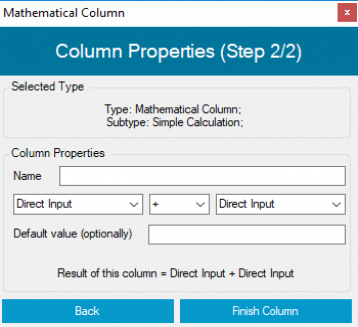
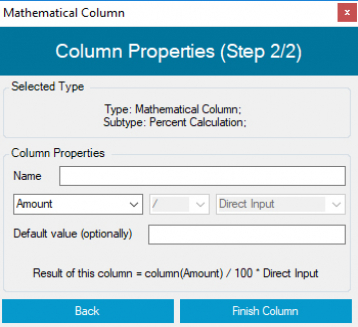
The type of an existing column cannot be changed later. Usually only settings such as its name can be edited. Deleting a custom column permanently removes all data stored in that column from the complete file. Create a backup before deleting a column when required.


 1
1 2
2 3
3 4
4