

To get detailed help please click on one of the following topics. You can also scroll though the list to find new features and learn more about the budget planning tool MyMicroBalance.
First Steps
Analysis
Main User Interface
MyMicroBalance can check at startup whether a new version is available. When an update is found, the program informs you and links to the update page on the MyMicroBalance website.
When MyMicroBalance finds a new version, a notification appears. Use the displayed link or arrow to open the update page.
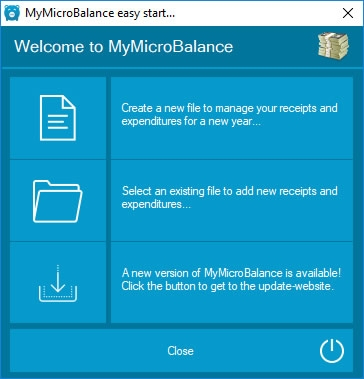
Download the current version only from the official MyMicroBalance website. Run the installation and then start MyMicroBalance again. Your balance files are separate files and are not replaced by the program installation.
First check whether your usual balance file is open. If MyMicroBalance starts with the welcome window, open the file manually via Open a File.

 1
1 2
2 3
3 4
4