

To get detailed help please click on one of the following topics. You can also scroll though the list to find new features and learn more about the budget planning tool MyMicroBalance.
First Steps
Analysis
Main User Interface
Right-click any menu icon to copy it to the Quick Access Toolbar at the top. This lets you create your own compact menu containing exactly the functions that you use most often.
If you then minimize the main menu by right-clicking it and selecting Minimize the Ribbon, the complete screen space is available for the receipts and expenditures windows. Your changes are stored in the current file.
The next time you start MyMicroBalance, the household budget will appear exactly as you configured it.
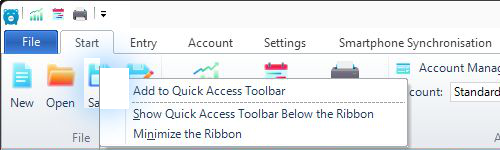
Copy menu icons to the Quick Access Toolbar at the top.
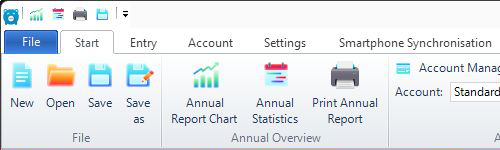
The selected functions are now available as small icons at the top.
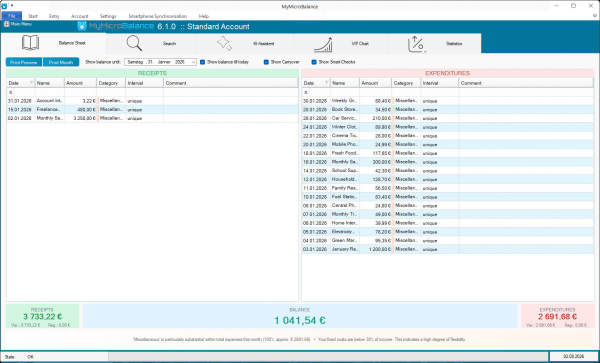
Select Minimize the Ribbon to reduce the menu to its minimum size.


 1
1 2
2 3
3 4
4