

To get detailed help please click on one of the following topics. You can also scroll though the list to find new features and learn more about the budget planning tool MyMicroBalance.
First Steps
Analysis
Main User Interface
VIP Quick Search lets you filter and group entries directly in the Balance view. This helps you find matching entries more quickly without opening the full Search area.
The feature is available to license key owners and is especially useful when you want to filter a specific column by values such as category, name, date, or amount.
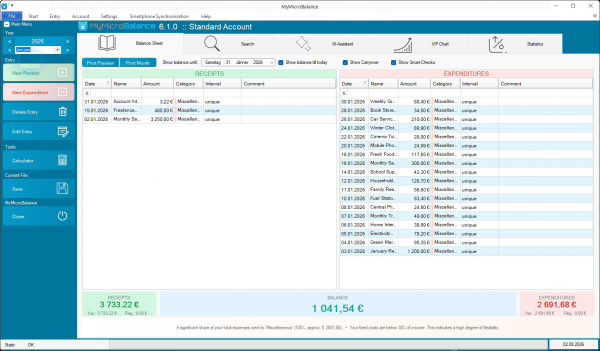

The balance automatically adjusts to the displayed entries when you use Quick Search. For example, if you filter by the Groceries category, the balance immediately shows the total of the currently visible grocery entries.
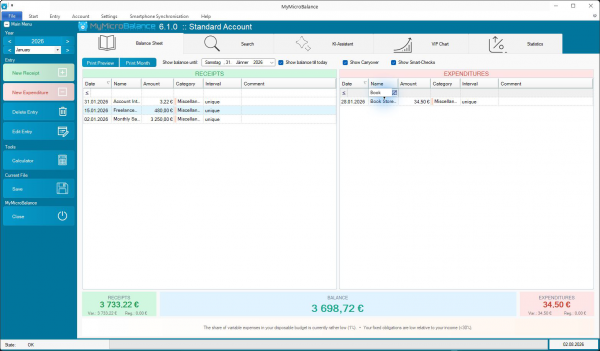

In addition to filtering, you can sort columns and group values. This helps you organize entries by date, category, name, or amount.
Use the dedicated Search area when you need to combine several criteria, search any period, use printing features, or export results as a CSV file.


 1
1 2
2 3
3 4
4