

To get detailed help please click on one of the following topics. You can also scroll though the list to find new features and learn more about the budget planning tool MyMicroBalance.
First Steps
Analysis
Main User Interface
Styles changes the colors of the MyMicroBalance interface. This helps you distinguish several balance files visually or adapt your household budget to your preferred appearance.
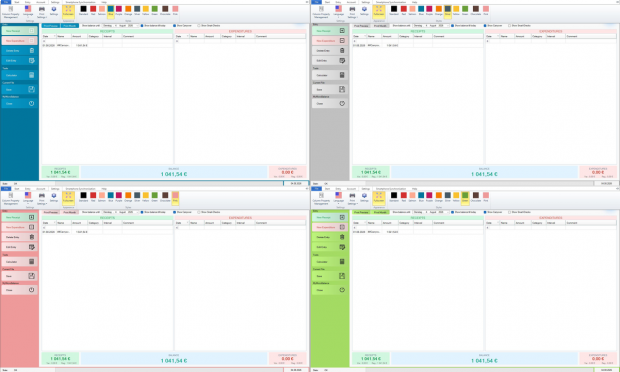
The selected style is stored automatically and loaded again the next time the same balance file is opened.
If you work with several balance files or several people use MyMicroBalance, a separate color scheme for each file can make the currently open file easier to recognize. Loading a balance file automatically activates its saved style.

 1
1 2
2 3
3 4
4